The Headlands System requirements
Official Steam minimums and practical tips for smooth farm days.
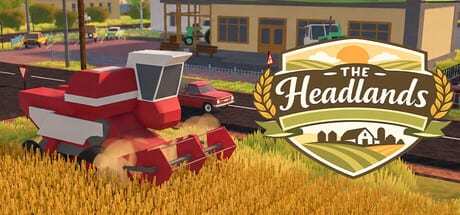
The Headlands is a cozy single-player farming strategy from TessaraOxygen, built to run on modest hardware while you manage fields in Traktorivka. Still, “cozy” does not mean “anything goes.” Use this page to verify your PC or Mac before purchase, then apply a few performance habits so long sessions stay smooth.
Official figures come from the Steam store page. Always recheck Steam if a patch updates the table.
Windows — minimum
| Component | Requirement |
|---|---|
| OS | Windows 10 |
| Processor | Intel Core i3-3220 / AMD FX-6300 or better |
| Memory | 8 GB RAM |
| Graphics | NVIDIA GT 730 / AMD Radeon R7 240 or better (2015 and newer) |
| DirectX | Version 11 |
| Storage | 1 GB available space |
| Sound | Any |
macOS — minimum
| Component | Requirement |
|---|---|
| OS | macOS 11 (Big Sur) or newer |
| Processor | Apple Silicon or Intel 64-bit |
| Memory | 8 GB RAM |
| Graphics | Metal-compatible GPU |
| Storage | 1 GB available space |
Steam lists minimum rows for both platforms. There is no separate “recommended” block on the store page at Early Access launch—treat the minimums as the floor, then add headroom if you run browsers, overlays, or recording software.
What the numbers mean in practice
8 GB RAM. Plan to close heavy Chrome sessions and infinite Discord servers if you sit exactly on 8 GB. The farm sim itself is light; background apps are the usual hitch.
1 GB storage. Easy to satisfy, but leave extra free space for Windows updates, macOS updates, and Steam shader caches. A nearly full SSD still stutters.
GT 730 / R7 240 class GPUs. Entry-level cards from the mid-2010s. If your GPU is older than that era or lacks DX11 / Metal support, expect problems. Integrated graphics on modern CPUs often outperform those named minima—verify drivers.
CPU targets. i3-3220 / FX-6300 are older dual/multi-core chips. Any mainstream CPU from the last decade should clear the bar; very low-power tablets are the risky edge case.
Platforms and modes
- Platforms: Steam on Windows and macOS.
- Mode: Single-player only—no multiplayer bandwidth requirement to worry about for LAN bandwidth.
- Deck note: Steam Deck compatibility may show as unknown early; verify on your device after install rather than assuming Proton quirks.
See also Early Access for how unfinished features may still change performance over the ~12-month EA window.
Pre-install checklist
- Update GPU drivers (NVIDIA / AMD / Intel / Apple software update).
- Confirm 8 GB+ RAM available after boot.
- Free more than 1 GB—aim for several GB headroom.
- Install via Steam, then verify files if the first launch fails.
- Disable experimental overlays if you see hitches.
In-game performance tips
- Cap framerate if your laptop fans ramp during long tillage sessions.
- Keep the laptop on power while harvesting big fields.
- Lower resolution scale before cutting shadows if you ride minimum GPU hardware.
- Avoid running a second 4K video encode while learning Controls on day one.
After you can launch
Jump into Getting Started and the Crop Planner. Hardware readiness is step zero; Traktorivka’s real challenge is fuel, weather, and market timing—not ray tracing.
If friends ask whether their office PC can run the game, send them this page plus the Official Links hub for the store widget.
Troubleshooting quick hits
Black screen / instant exit. Verify Steam files; update GPU drivers; try disabling fullscreen optimizations on Windows.
Stutter every few seconds. Check background downloads; move the install to an internal SSD; close browsers.
Mac on older OS. macOS 10.x below Big Sur is outside the listed minimum—upgrade OS or use a supported machine.
Low disk errors. Clear Steam download cache and uninstall unused games; the title is small, but Steam libraries grow messy.
Accessibility of specs
TessaraOxygen clearly aimed The Headlands at players who remember early-2000s countryside machines—and PCs that are not flagship rigs. That design goal matches the cozy fantasy. Still, meet the table honestly; under-minimum installs create support noise that slows Early Access fixes for everyone.
Related reading
When Steam edits requirements, update your notes and recheck this wiki page after the next content sync.
Frequently Asked Questions
Quick answers for Early Access farmers in Traktorivka.
How much RAM do I need for The Headlands?
Steam lists 8 GB RAM as the minimum on both Windows and macOS.
Does The Headlands run on macOS?
Yes. Minimum is macOS 11 (Big Sur) or newer with Apple Silicon or Intel 64-bit and a Metal-compatible GPU.
How large is the install?
Steam lists 1 GB available space as the storage minimum. Leave extra free space for updates and system caches.
Is there a recommended specs tier?
At Early Access launch the store page publishes minimum rows for Windows and macOS. Add headroom if you multitask or record.