The Headlands Controls & Vehicle Handling
Drive Soviet-era and homemade machines cleanly — camera, implements, fuel, and menus without fighting the cab.
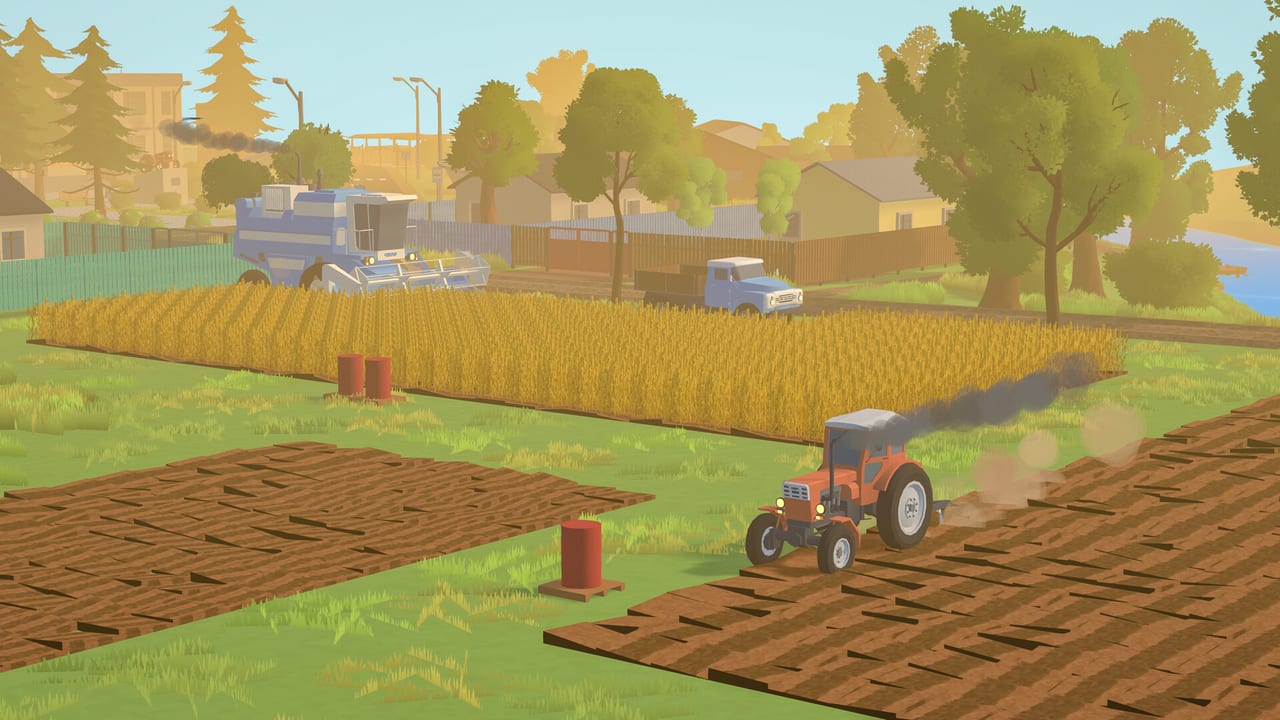
Smooth controls matter more in The Headlands than in arcade racers. You spend long, quiet passes cultivating, sowing, and harvesting across Traktorivka’s fields. Early Access will keep polishing input and UI from player feedback, so treat this page as a habits guide: how to set up binds, how to think about camera and implements, and how to avoid the fuel-and-menu mistakes that break a good farming day. Always confirm the live binding list under the in-game Settings → Controls screen after each patch.
Pair this with Getting Started for the first-hour plan and Farming Basics for what those inputs achieve on the land.
Before you touch a field
- Open Controls once. Remap anything that fights your hand layout — especially camera orbit, zoom, enter/exit vehicle, attach/detach, and implement raise/lower or unfold actions.
- Note shop and menu keys. You will open traders, fuel purchases, and contract boards often; muscle memory here saves more time than shaving seconds off steering.
- Check controller vs keyboard. If you use a gamepad, confirm look sensitivity and dead zones so gentle headland turns do not twitch into the ditch.
- Save a “clean cab” mental checklist: parked straight, implement raised for road travel, enough fuel for the next job plus return.
Early Access explicitly calls out interface and controls as areas that will improve with community input. If a bind feels wrong, say so on Steam discussions — and rebind locally in the meantime.
Driving tractors, trucks, and combines
Expect a grounded, weighty feel rather than arcade snap. Soviet-heritage machines and the mechanic’s homemade builds each have character in sound and handling. Practical tips:
- Plan approach angles before you drop an implement. Starting crooked on a short field wastes a full pass.
- Use roads deliberately. Vehicles drive the village network; trucks can ferry tractors to distant fields when unlocked. Empty road runs still burn fuel — batch jobs geographically.
- Separate field gear from road gear in your head. Raised, folded implements for travel; lowered working positions only when aligned on the plot.
- Leave stopping room near storage, fuel, and traders. Nose-in parking that blocks the next trailer costs real minutes.
When your fleet grows, switch vehicles with intention: finish a pass, park clear, then hop — do not abandon a lowered tool across a headland. Machine priorities and purchase order live on the Tier List Hub, including tractors, harvesters, and homemade options tied to Sydorovych.
Implements and field actions
Most frustration comes from implement state, not steering:
- Attach / detach only when lined up and stationary enough to avoid scrubbing the hitch.
- Raise / lower (or equivalent work switch) at the field edge — not halfway through a turn that gouges a neighbour’s ditch fantasy.
- Unfold / fold wide tools before you commit to a lane; folding on the road keeps traffic and your sanity intact.
- Match tool to job: cultivator, seeder, sprayer where relevant, grain header, vegetable harvester later. Wrong tool selected is free fuel spent on zero progress.
Vegetables (potatoes, carrots, onions, beets, garlic) eventually want their dedicated harvester — do not assume every grain combine solves every crop. Crop choice and timing sit in Farming Basics and the crop planner.
Camera and visibility
Meditative farming still needs clear sightlines:
- Keep a slightly elevated chase or orbit while cultivating so you see lane overlap.
- Zoom out on headlands; zoom in when hitching.
- In fog, rain, and thunderstorms, expect reduced visibility. Street lamps and vehicle headlights matter when the sky closes — see Weather.
- If motion discomfort appears, lower camera inertia/sensitivity before you abandon a long harvest day.
Fuel stops, shops, and menus
Fuel is a first-class resource. Drive to the fuel point, complete the purchase or refill interaction, and leave with a buffer — not a “probably enough” needle. Shops sell equipment and consumables; traders and elevators take harvests. Production buildings (mill, sawmill) and the farm warehouse add extra menu destinations once unlocked; trucks gain jobs hauling goods between them (Production Chains).
Control habit: resolve menus fully (confirm fuel, confirm sale quantity, confirm contract accept/reject) before you drive off. Half-closed UI plus a rolling tractor is how Early Access players invent new bugs for the solo developer.
Contracts and map movement
Neighbour contracts send you across Traktorivka. Before accepting, estimate drive distance in fuel and time — the Contracts Guide covers that trade-off. On the road:
- Prefer loops that combine a contract drop with a fuel top-up or a market check.
- Avoid crossing the whole village for a tiny payout while rain is about to lock your ripe fields.
Accessibility and comfort
- Remap spammy keys away from pinky stretches.
- Use consistent parking spots so enter/exit stays predictable.
- Take breaks between long parallel passes; the game’s pace supports it.
- Verify your hardware against system requirements if stutter makes fine steering harder than it should be.
Practice drill (ten minutes)
- Exit the yard, drive a short road loop, return, park straight.
- Attach an implement, unfold, lower, raise, fold, detach.
- Visit fuel, buy a top-up, confirm the gauge moved.
- Open the contract board, read one offer, decline or accept deliberately.
- Check weather and decide whether today is a harvest day or a cultivate/sow day.
That drill encodes the controls that matter. Fancy drifting does not.
Related guides
- Getting Started
- Farming Basics
- Weather
- Guides Hub
- Updates / Early Access for incoming control polish notes
Drive like you mean to farm tomorrow. The Headlands rewards clean habits more than flashy inputs.
Frequently Asked Questions
Quick answers for Early Access farmers in Traktorivka.
Where do I find the exact keybinds?
Open Settings → Controls in-game. Early Access may change defaults; this guide teaches workflows, not a frozen key table.
Why does my implement refuse to work?
Confirm attachment, unfold state, lowered/working position, and that you are on an appropriate field with the right tool for the crop job.
Do trucks control differently from tractors?
Expect similar driving basics with different jobs: hauling grain, finished goods, and sometimes ferrying tractors to distant fields. Plan fuel for loaded weight and longer routes.
Any tip for fog or night-like low visibility?
Slow down, use lamps/headlights when available, and prefer known roads. Fog is a weather state — see the Weather guide before committing to harvest.